PDF to calendar,
with you in control.
Turn a PDF or schedule screenshot into events you can review.
Check the details, then download an ICS file for your calendar.
- 01Bring your documentA PDF or a clear photo
- 02Give it a second lookCompare and edit every event
- 03Make room for your plansDownload a calendar file
First time? Watch the school-PDF walkthrough 2 min 53 sec · English captions · Opens a new tab
Your document
Your events 0
Keep the source in sight
Compare each event with the original. Missing dates and unclear times need your input.
Your final say
Choose the events you want. Check their details and confirm each one before downloading.
Bring your own calendar
Import the downloaded .ics file into Google Calendar or Apple Calendar. No account connection needed.
From a school notice to three events
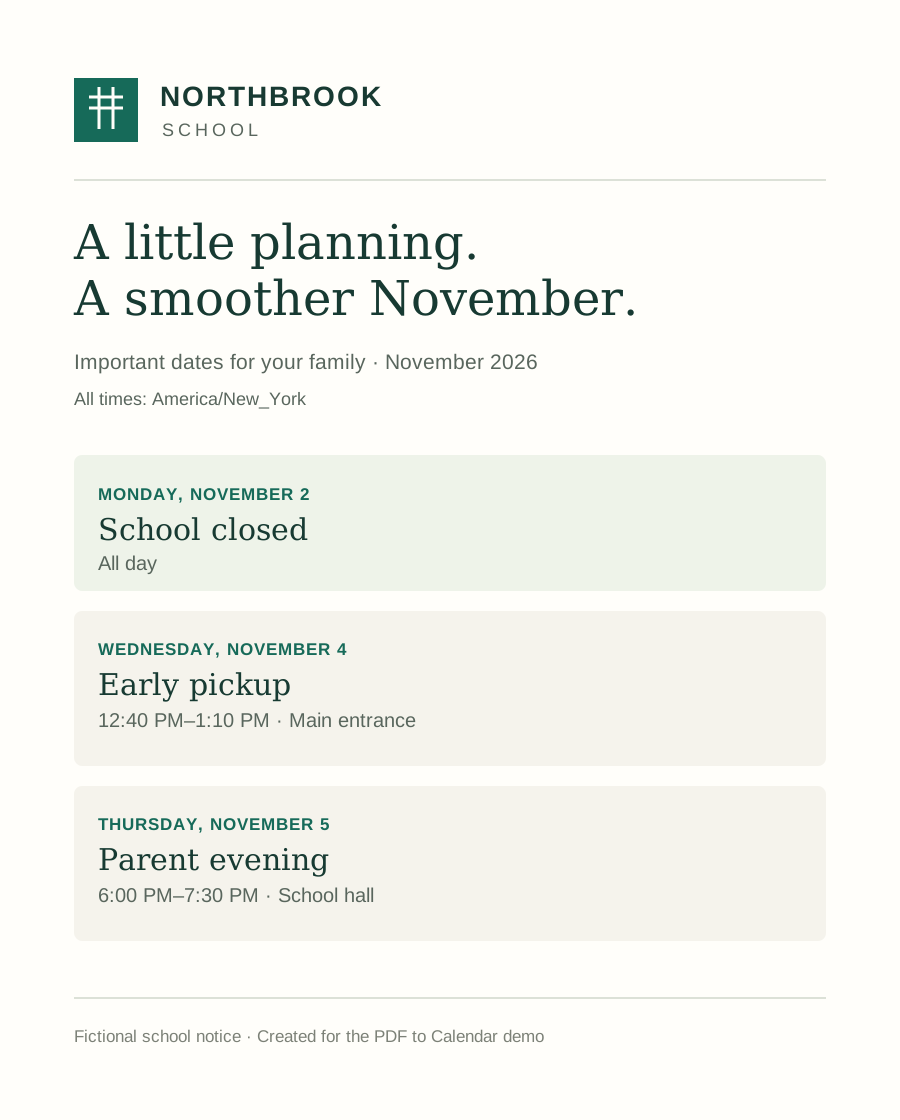
This fictional notice shows the review process. The sample comes with preset events; it is not an AI extraction result.
Details to check before importing
- School closedNovember 2, 2026 · All day
- Early pickupNovember 4, 2026 · 12:40–1:10 PMMain entrance
- Parent eveningNovember 5, 2026 · 6:00–7:30 PMSchool hall
Schedule time zone: America/New_York. Check the dates, times and locations against the notice, then confirm all three events to enable the ICS download.
PDF to calendar: common questions
What can I convert to a calendar file?
Choose a PDF, JPG, PNG or WebP containing a school schedule, work rota or other dated plans. The free beta accepts one file up to 5 MB, up to 3 PDF pages and up to 30 events. Clear text and layouts are easier to check; missing information and complex schedules may need manual edits.
How do I turn a PDF into an ICS file?
Choose your document to open a local preview. Set the schedule’s time zone, agree to cloud processing and select “Find events in this document.” Compare the suggested events with the source, edit any mistakes and confirm every selected event. Then download the ICS file. You can also add events manually.
How do I add the events to Google Calendar?
On a computer, open Google Calendar settings, choose “Import & export,” select the downloaded .ics file and choose the destination calendar. Review the imported dates and times. Follow Google’s import instructions for the current steps. This tool does not connect to or write directly into your Google account.
Working from a school notice? Our school PDF to Google Calendar guide includes an original PDF, its four reviewed events and a downloadable ICS to compare.
Can I use the file with Apple Calendar?
Apple Calendar on Mac can import .ics files using File > Import. See Apple’s calendar import guide. Import options differ by device; review the result in your calendar. This beta does not provide calendar syncing.
Does my document leave my device?
Choosing a file only opens a preview in your browser. When you agree and start extraction, page images, text and the context you enter are sent to Cloudflare. Supported PDF text is read directly on our server; other documents use Cloudflare Workers AI. We do not save your document or event contents to our database. Manual entry, the preset sample and ICS export run in your browser. Read the privacy details.
Is it free, and do I need an account?
The beta is free and needs no account or credit card. Cloud AI extraction has a small shared daily allowance and a limit per connection. If extraction is unavailable or the allowance is used up, you can still enter events manually and export them.
What should I check before downloading?
Extraction can miss events or misread dates and times. Check every selected event’s title, start and end dates, all-day status and time zone against the original. Overnight shifts and daylight-saving changes need particular care. Only confirmed events can be exported. Refreshing or closing the page clears your current work, so download your file before leaving.